// L02 — Creative Operations
Creative Operations & Marketing Bench
Print-on-demand that runs without a designer in the loop.
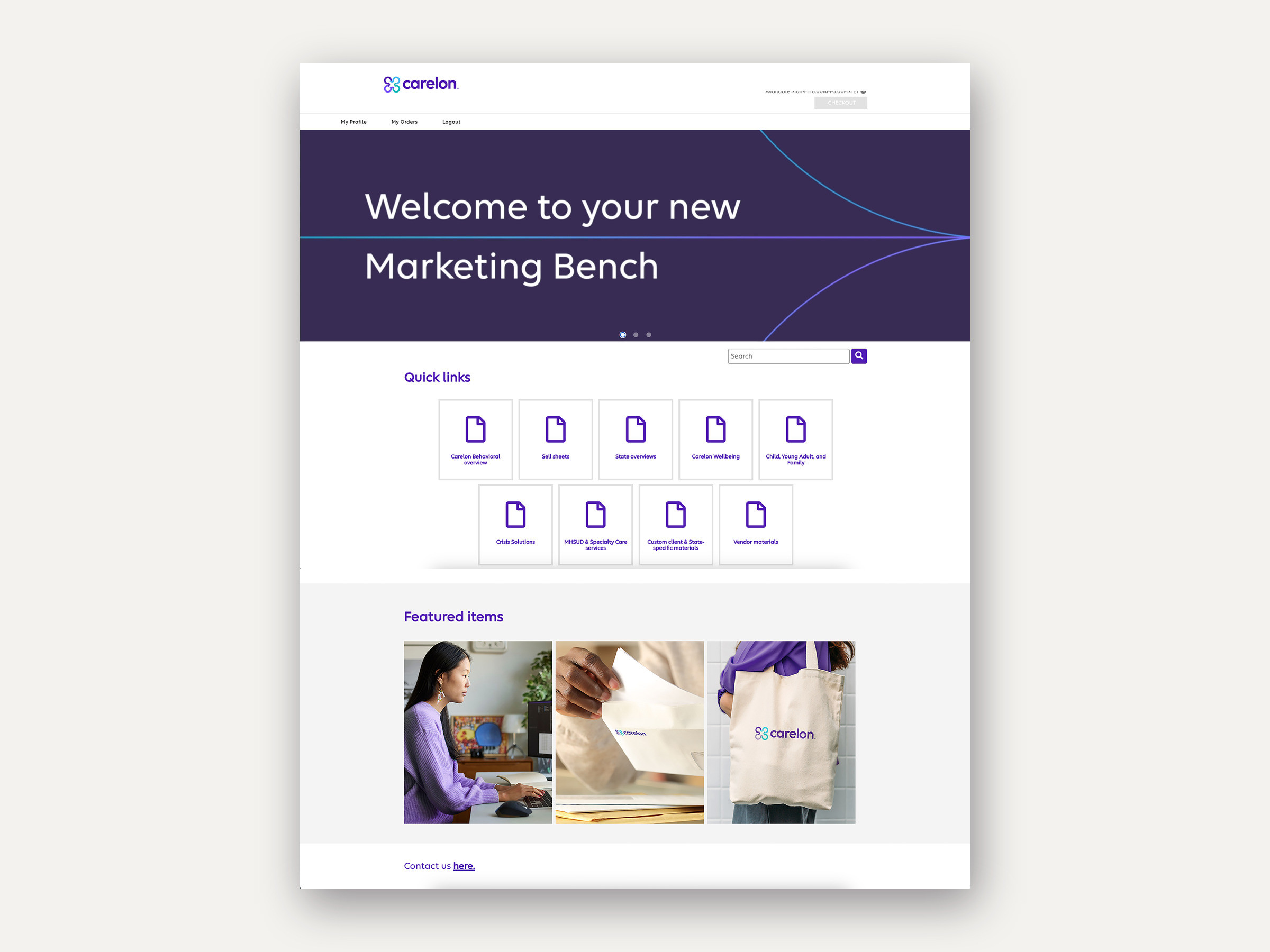
// The brief
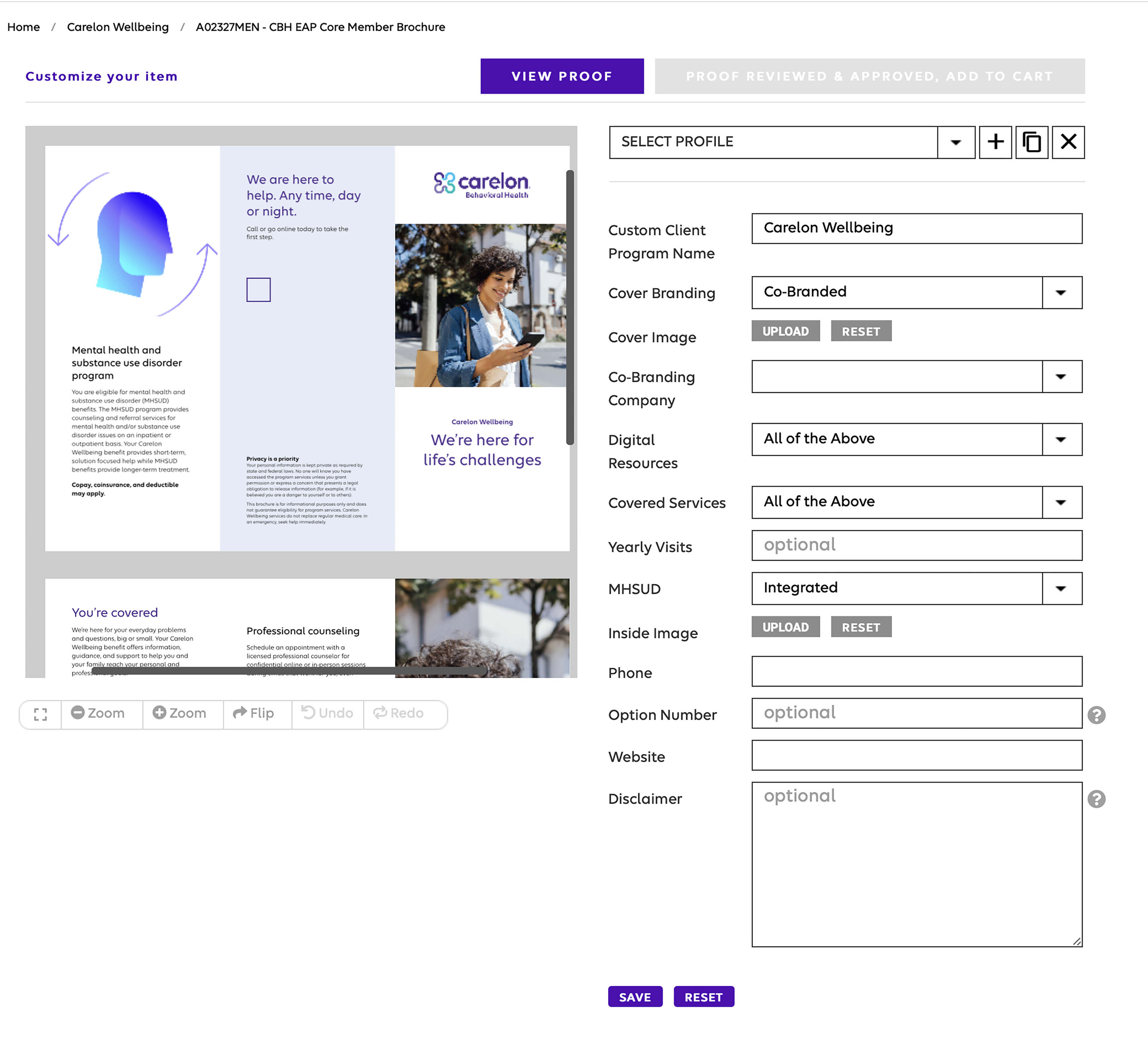
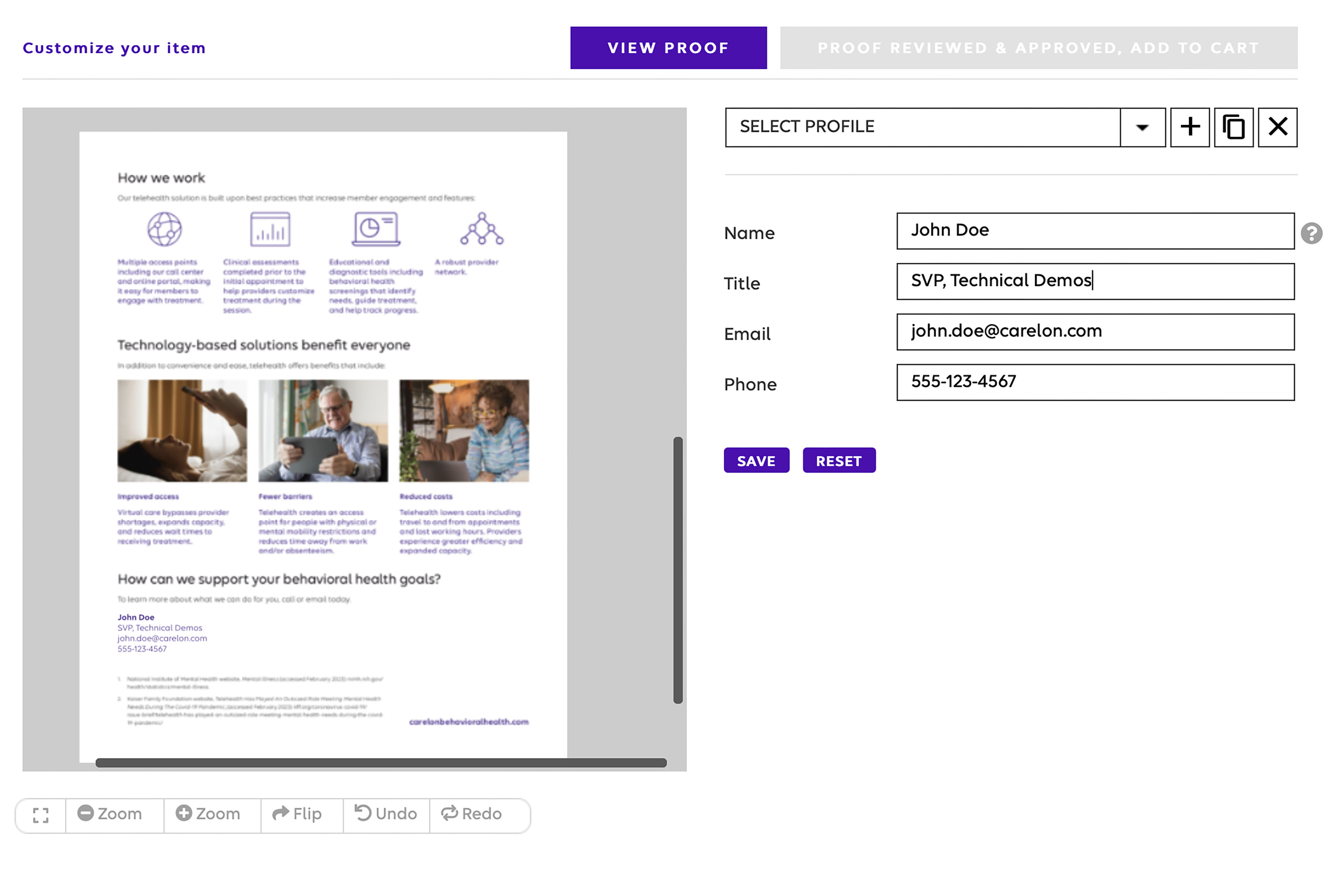
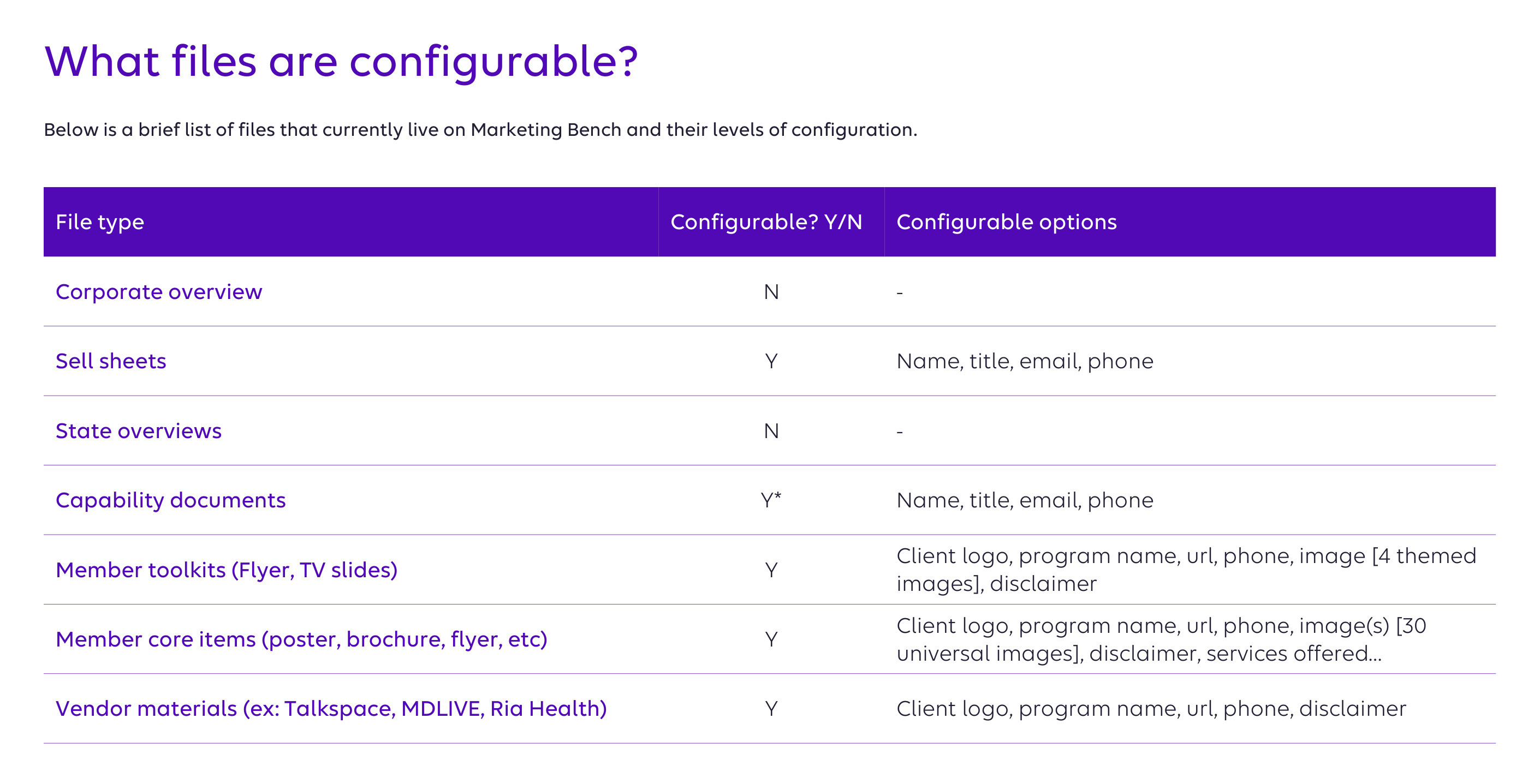
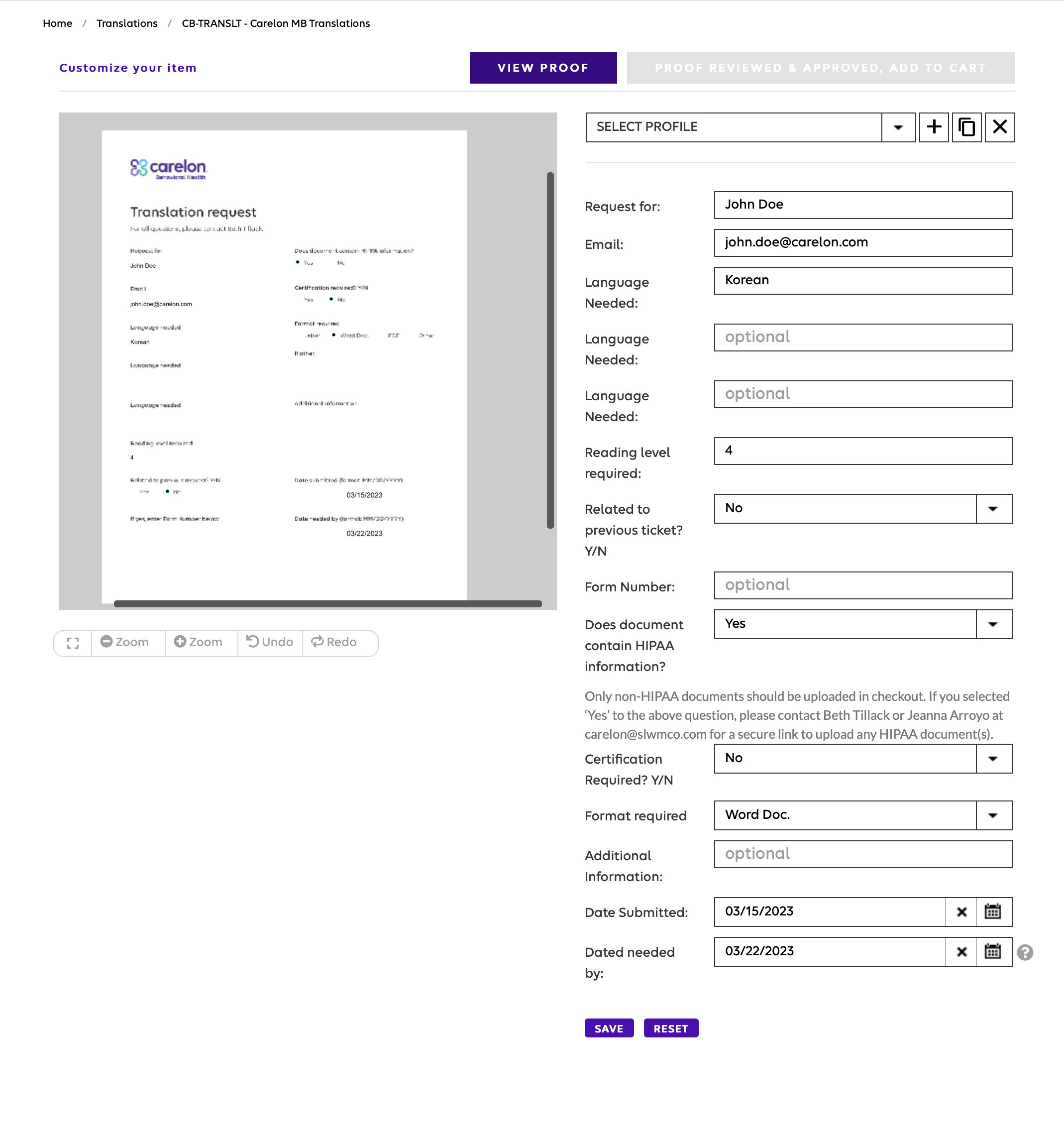
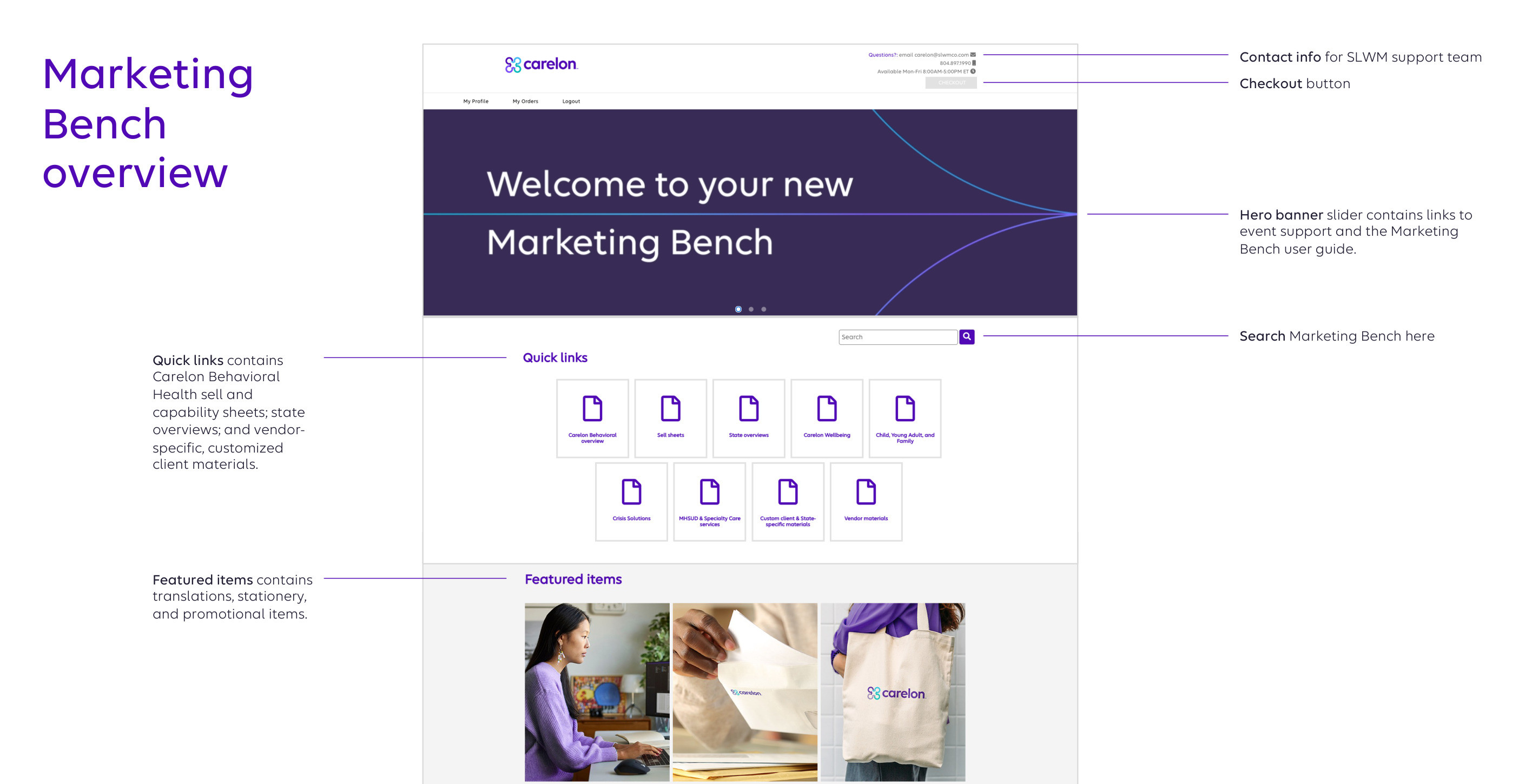
Marketing Bench let sales and leadership order branded materials and merchandise — but on the old platform every change ran through a designer and the print vendor first. As part of the Carelon rebrand, I rebuilt it as a variable print-on-demand site stakeholders could self-serve — configurable brochures, flyers and capability documents that co-brand and populate themselves — taking designers out of routine production entirely. It launched to the organization in March 2023.
// The challenge
Marketing Bench let sales, leadership, and stakeholders order branded materials and merchandise — but the old platform routed every change through a designer: edit the layout, get it approved, hand it to the print vendor, wait for them to upload it. A designer sat in the critical path of routine production, and speed to market suffered.
An enterprise environment, an external print vendor (WebbMason) whose print-on-demand capability was still light, funding to secure with leadership, and a live audience of sales and leadership already relying on the tool.
// The work
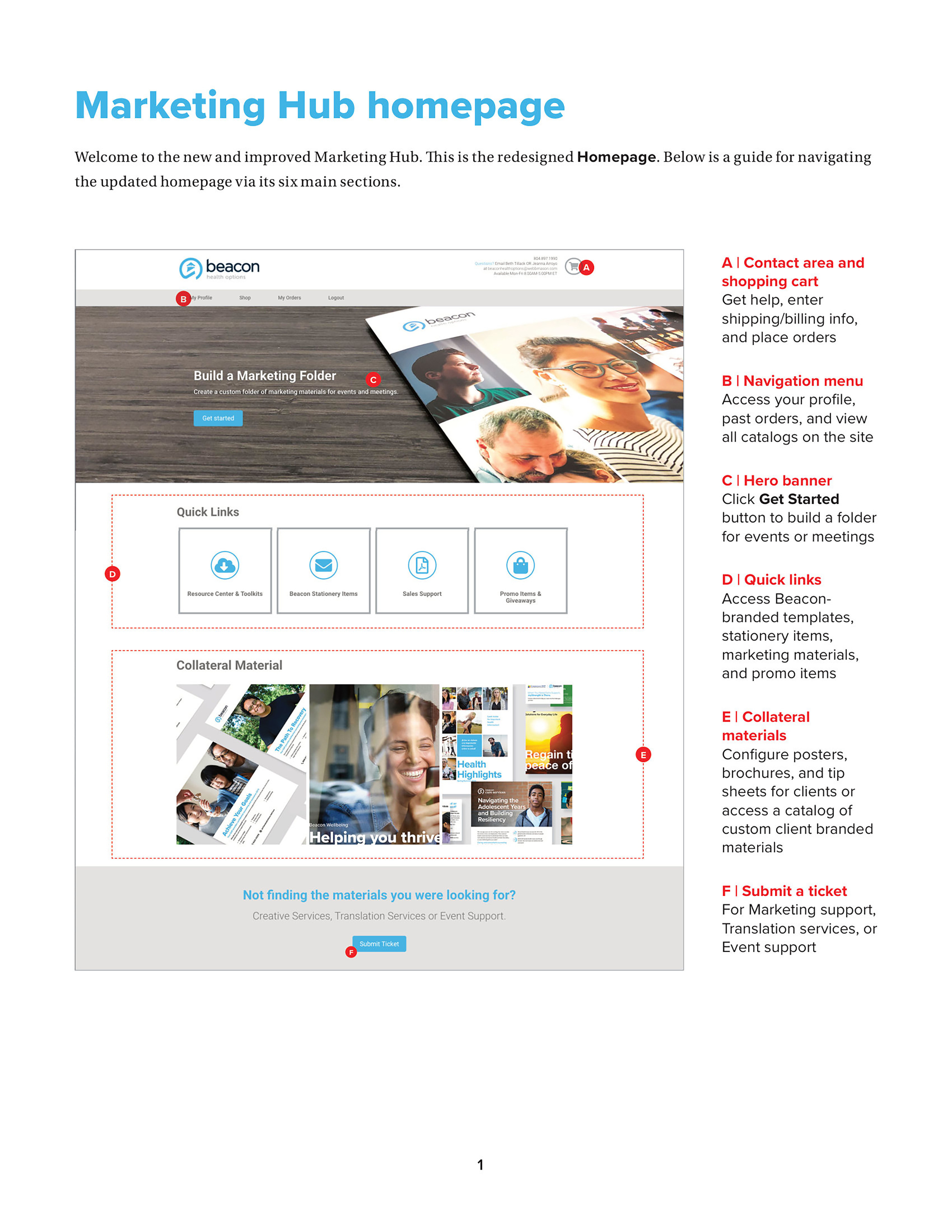
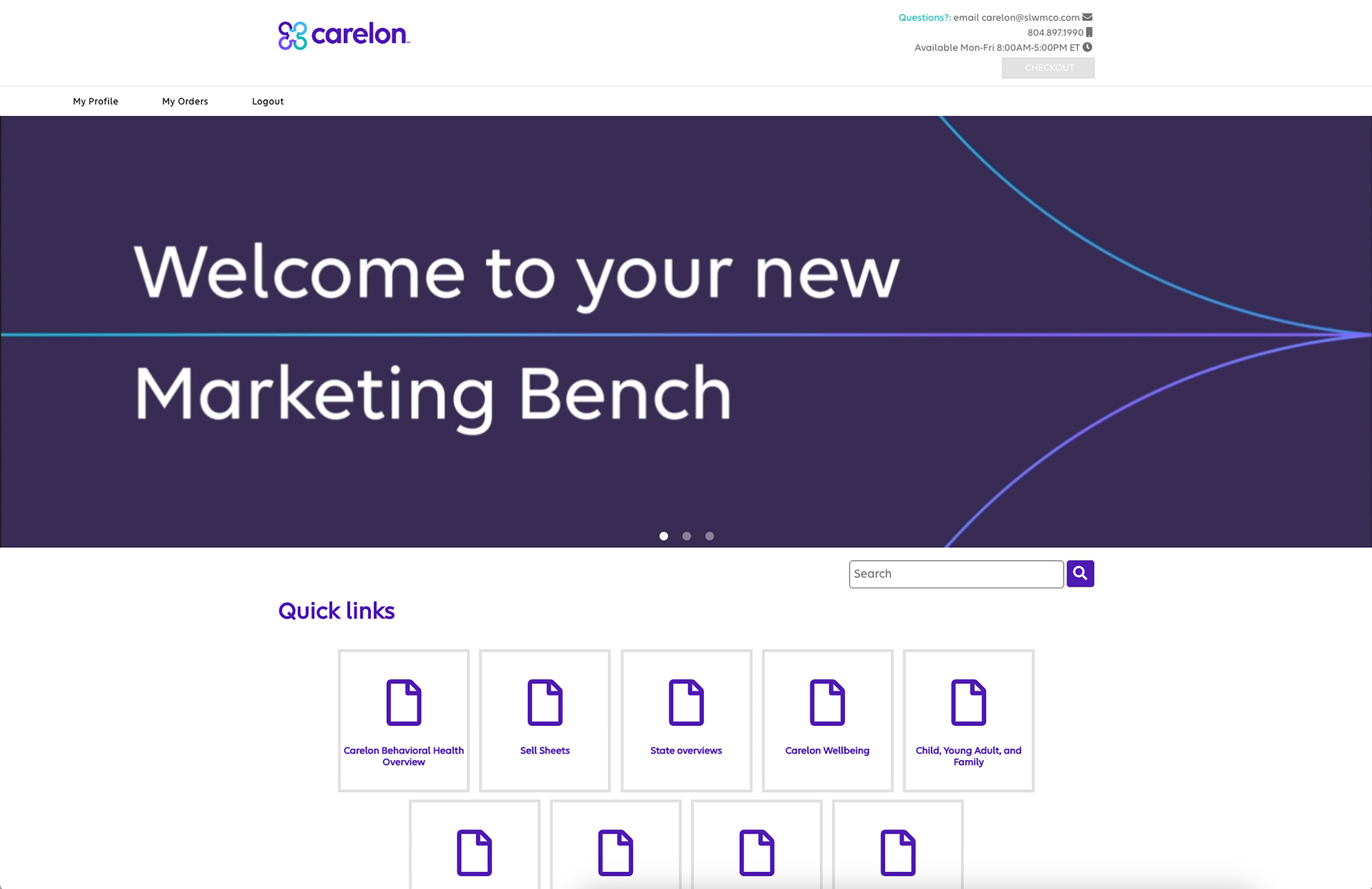
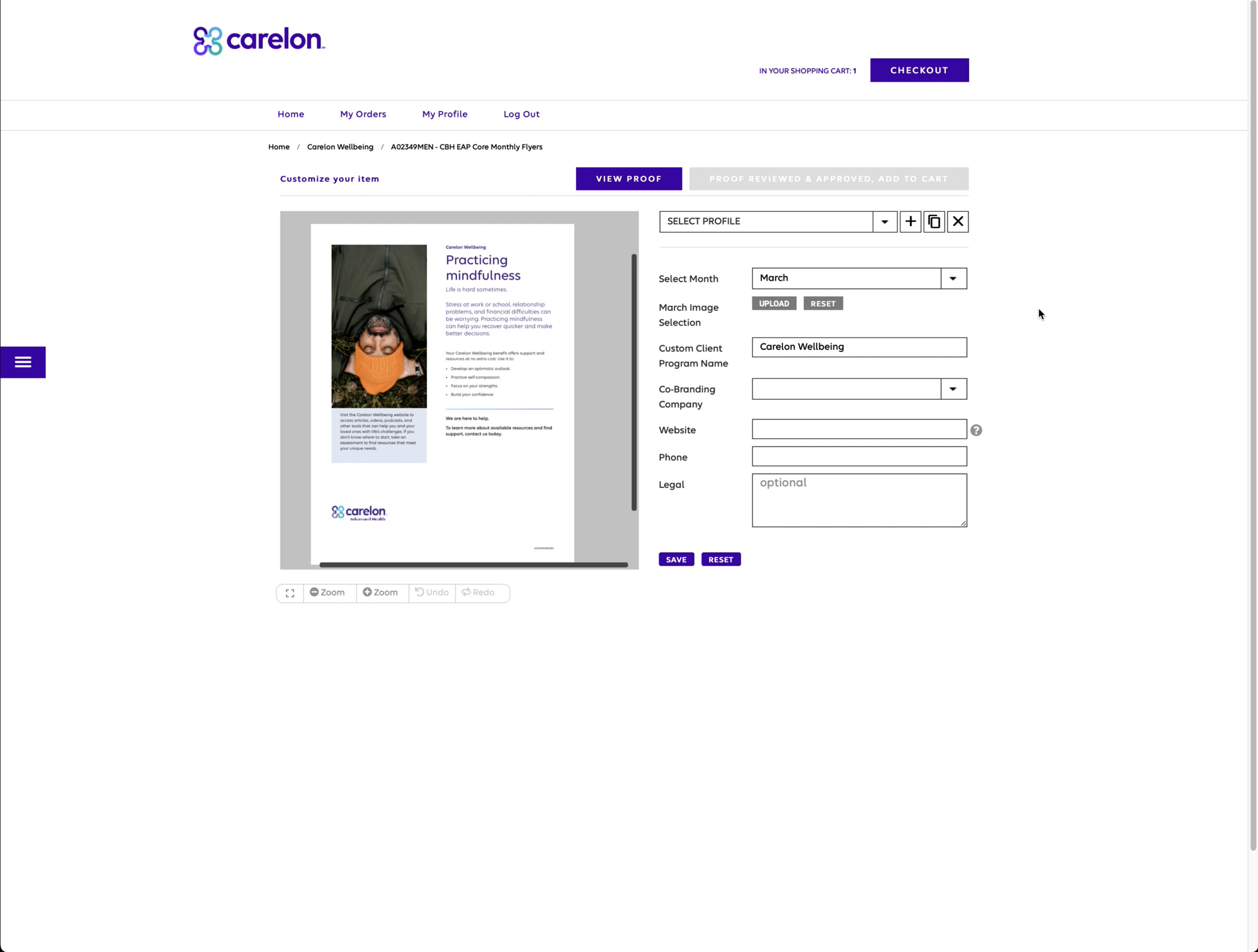

// The mandate
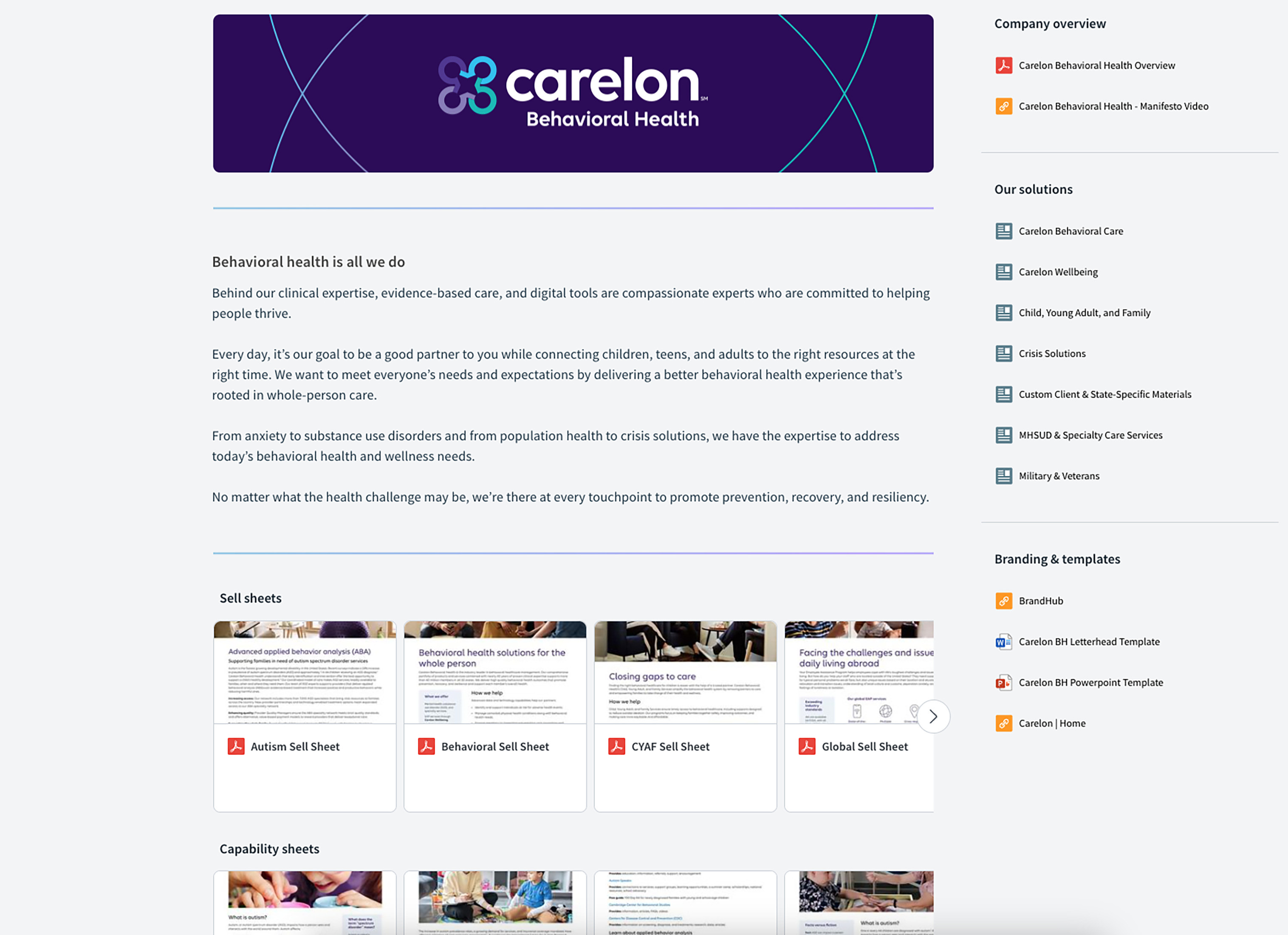
The Carelon rebrand was the opening to rebuild Marketing Bench as a proper variable print-on-demand site — materials intentionally designed with placeholder image and content areas that stakeholders could self-serve across clients, products, and purposes, with no designer in the loop.
// John's role
- ↳Rebuilt Marketing Bench as a variable print-on-demand platform
- ↳Designed the site's interface (UI)
- ↳Led the designers producing the rebranded, templatized materials
- ↳Worked daily with the WebbMason print-vendor team and with leadership
- ↳Secured funding for the refresh with leadership and kept the work on track
Worked with
- ↳In-house designers — led the rebranding and production work
- ↳WebbMason — print-on-demand vendor
- ↳Leadership and stakeholders — funding and sponsorship
// Key decisions
Design the designer out of the loop
Built materials with intentional placeholder image and content areas so stakeholders could self-serve across clients and products — replacing the edit → approve → hand-off → upload chain that used to need a designer for every change.
Free designers for the work that matters
The point wasn't more output from the team — it was removing routine production from designers' plates so their bandwidth went to projects that actually moved the business.
Own the vendor relationship, don't hold it at arm's length
Worked daily with WebbMason and secured funding with leadership rather than treating the vendor as a hand-off. Their print-on-demand capability was light; we designed to what the platform could be, not what it had done before.
// The outcome
- ↳Eliminated a designer bottleneck and production-level work, cutting turnaround ~60%
- ↳Adopted across the organization — sales, leadership, and stakeholders all used it (~30% higher engagement)
- ↳Became WebbMason's flagship print-on-demand case, used to sell their platform to other companies
// Reflection
What I'd change: use AI to automate and track the site's contents and publishing. There's real organizational overhead in uploading, updating, running maintenance cycles, and sunsetting older materials — exactly the kind of work AI is good at staying on top of.